This have happened before. I shutdown one node like you should. When it is down something goes wrong and two remaining nodes thinks the other is down. Then all volumes goes down and all VMs crashes.
Month: November 2021
It was needed for the Mattermost server. 😠 After installing mysql-community-server mattermost was working again.
dnf install mysql-community-server
systemctl start mysqld
systemctl enable mysqldI tried to use the opensource backup software UrBackup. One thing they had done right is that there is a server and client part. It have a web interface like many backup softwares today. I dont like that. Desktop applications are better. Everything looked good until i came to testing the backup. There was only two ways to restore. Restore to original place or download a zip file. Testing a backup by restoring to original place is a bad way of testing a backup. I am not going to try to download 500GB zip file.
Categories
Upgrading Mattermost is horrible
You have to run lots of commands at the command line. Switching between different directories. 😟
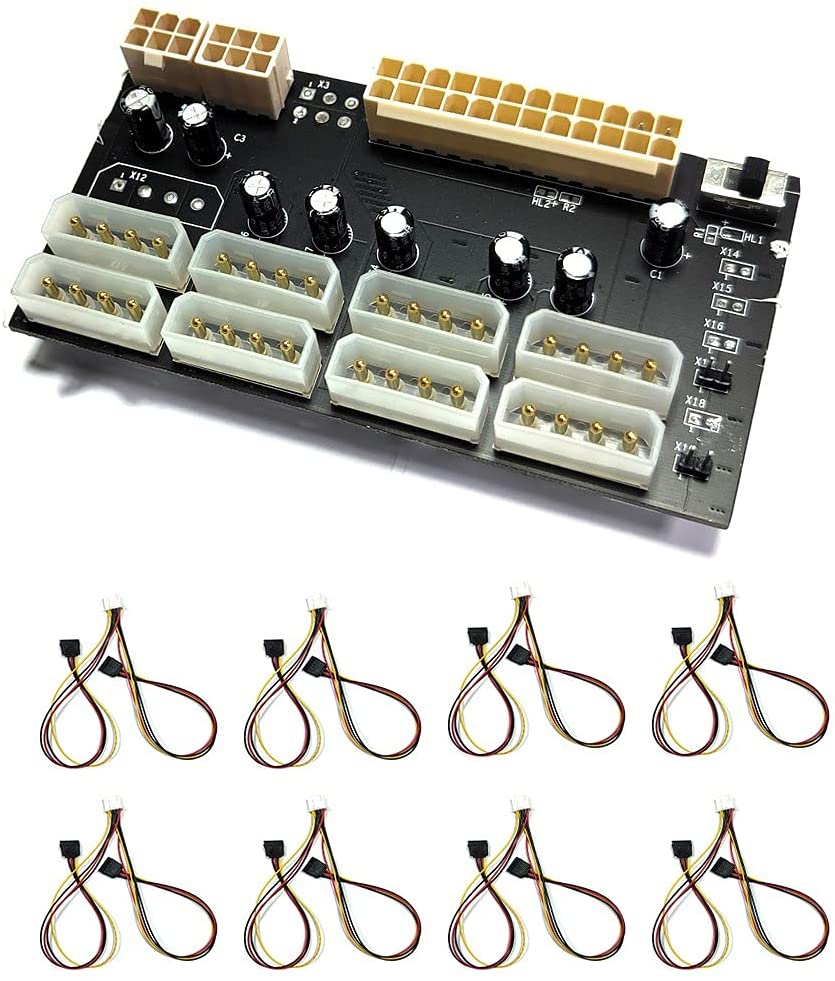
Chia mining dont need graphic cards. It needs lots of harddisks. It should be possible to power 16 harddisks with this card. That is enough even for me. You connect a ATX power supply to the card.
If a dialog asks you to authenticate all the time you have to stop some services.
systemctl stop pcscd.socket
systemctl stop pcscd
systemctl disable pcscd.socket
systemctl disable pcscd.service
Categories
How to use a SSD as a cache for HDD on Ceph
ceph-volume lvm prepare --data /dev/sdb --block.db /dev/sda1 --block.wal /dev/sda2sdb is a harddisk. sda1 and sda2 are partitions on a SSD. You dont have to make any filesystems on the drives. I used fdisk to split the SSD in two parts. If prepare succeeds you can use
ceph-volume lvm activate --allto start up the OSD. One difficult part is the keyring for ceph-volume. ceph-volume is not using the id client.admin. Do this if ceph-volume cant login.
ceph auth get client.bootstrap-osd >/var/lib/ceph/bootstrap-osd/ceph.keyring
Categories
If you have stray OSD daemons on Ceph
On the command line on the machine with a stray OSD daemon use the command “cephadm adopt –name osd.3 –style legacy”. Replace 3 with the number for the OSD you want cephadm to adopt. You find messages like this in the log in the web interface “stray daemon osd.3 on host t320.myaddomain.org not managed by cephadm”. That means you have to be on the command line on computer t320.
Categories
A working example of a Ceph RBD pool for VMM
<pool type="rbd">
  <name>RBD</name>
  <source>
    <host name="192.168.7.23" port="6789"/>
    <host name="192.168.7.31" port="6789"/>
    <name>rbd</name>
    <auth type="ceph" username="libvirt">
      <secret uuid="ce81a9d5-e184-43f5-9025-9a062d595fcb"/>
    </auth>
  </source>
</pool>
Host elements are addresses to mons. Auth element is a pointer to a registered key. On this webpage you can find information about how to register a Ceph key. https://docs.ceph.com/en/latest/rbd/libvirt/ The first name element is the name for the libvirt pool. The second name is the name of the Ceph RBD pool. In Connection manager in Virtual Machine Manager you have to create a pool and paste the XML into the textbox on the XML tab.